

Shrink image files while retaining quality
Do you find image files are taking up too much disk space, or want to send large images by email? FILEminimizer Pictures is designed to compress and optimize your images, saving you space while maintaining quality.
If you want to compress Microsoft Office files, however, check out our FILEminimizer Office download instead.
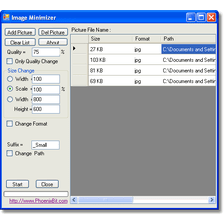
That sounds quite unlikely, but surprisingly FILEminimizer Pictures works very well. The simple interface features a 'to optimize' window, that you can drag and drop any image file into. Before optimization, you should either choose one of three compression settings, or customize your own. High compression gives you reduced quality, but tiny file sizes, whereas low compression keeps quality high while still reducing file size impressively. In our tests of FILEminimizer Pictures, file size was reduced from anywhere between 65% and 80%, which really makes a difference when optimizing in bulk.
Results are impressive, so for bulk compression for things like email or saving to a USB for a presentation, FILEminimizer Pictures is really useful. There is little to criticize with FILEminimizer Pictures, except that the interface has too many buttons that repeat the same function. It's not necessary to have three for the same function! However, this odd design choice doesn't harm functionality.
FILEminimizer Pictures offers impressive compression of image files, without the inconvenience of having to decompress them for viewing. A great space saving app.
License changed to free
Changes
License changed to free




























User reviews about FILEminimizer Pictures
by Muhammad Farooq Saeed
Hi... This is Really Good App & Professional Too For Better Compression & Reliability of Files
by Anonymous
Managing/Sharing/Backing up TONS of pics? You need this app so bad!.
This app is just amazing! I was looking for a way to share a boatload of pictures made during a holiday with friends, but the first 200 JPEGs already added up to more than 1,9 GB. I processed the same 200 with this app, making sure that they kept their original format, dimensions and meta-info intact. You can chose how the new files are renamed and I chose to just add the letter ´M´ at the end. The 200 new files had a total filesize of just 256MB. Yeah, a loss of 1,7 GB!!!! I immediatly compared the original and copy of multiple files and to my disbelief I could honestly not find a noticable difference between the two, zooming in up to 400%. Like I said, just amazing.
That also made me realize that this proces is perfect for making a backup that´s nice and small, so you can always keep your pics somewhere! Why not keep m in 3 places at once. Just a 8GB usb-stick will hold a couple of years worth of pics, haha.
And what about a laptop with limited free space on it´s HDD? I can´t keep al my pics on my macbook, so it's only a couple of recent collections. The older ones I store on an external hdd and eventually kinda forget...
But this app made me realize a better way to organize my pics. Just keep the original on an external HDD and use this app to backup those files on your laptop. That´s what I´m gonna do. Small files laptop, always accesible. Big files external HDD, safe and secure.Just download this app when you have a digital camera and make pictures haha. Really..
Pros:
Only loss is filesize, no noticable other downgrades
No funny stuff, extremely neat and clean app.
Cons:
Can´t think of any at the moment More
by Anonymous
Excellent on 1st use!.
Worked fast and excellently on a number of jpegs for emailing purposes, reduced file size by 98% with no loss of readability.Thanks for this program!
Pros:
Speed, quality, flexibility More
by Anonymous
Best free software I encountered in JPG photo quality & compression size..
I use it for my HP ScanJet G4050 photo scanner output (JPG).It gives me great result, and most importantly, it does it in batch mode. Minimal change to the photo and maximum compression.For best result, I used (from Settings button)screen resolution of 1920 X 1440 and 75% quality. While from menu Options->Configuration, select the settings for images tab and keep the Allow image to be resized checked.This gave me the best compression results and picture quality.This is a great piece of software.Thank you very much, indeed. More
by Anonymous
FILEminimizer .
thanks ... Softonic i got my licenses today this software. is the best love it will tell all my friends about it just one cool program
Pros:
great software ....
Cons:
cons non ..... More